Ship with FedEx Cross Border using Sendcloud

Connect your store to Sendcloud and FedEx Cross Border to ship internationally from EU and UK pickup hubs.

EU Hub (NL) and UK Hub (UK) pickup

Automated duties and tax handling

Partner-carrier last-mile worldwide

4.6 Shopify App Store

4.6 G2

4.3 Trustpilot

FedEx Cross Border
FedEx Cross Border
FedEx Cross Border
FedEx Cross Border
FedEx Cross Border
FedEx Cross Border
FedEx Cross Border
FedEx Cross Border
FedEx Cross Border
FedEx Cross Border

INTERNATIONAL CROSS BORDER

Why ship with FedEx Cross Border through Sendcloud

FedEx Cross Border is FedEx's ecommerce cross-border service: duties pre-paid at checkout, customs documents generated per destination, and partner-carrier last-mile across 220+ countries. It's a separate contract from regular FedEx, picked up from the EU Hub (Netherlands) or the UK Hub. Connect your contract in Sendcloud and ship at your negotiated rates with one workflow per order.

EU Hub (NL) and UK Hub (UK) pickup

Automated duties and tax handling

Partner-carrier last-mile worldwide
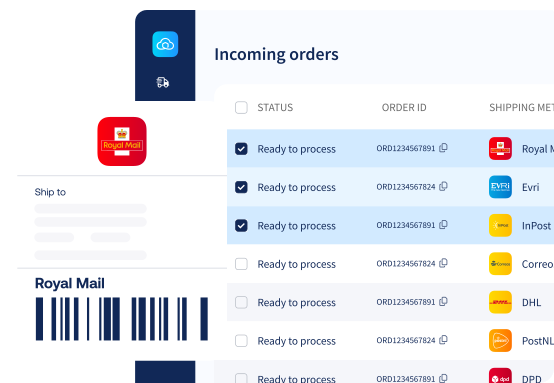
FedEx Cross Border

FedEx Cross Border

shipping methods

Outgoing shipments

Pre-negotiated rates available?

FedEx Cross Border

FedEx International Connect PUDO service

Direct contract only

FedEx Cross Border

FedEx International Connect x UK

Direct contract only

FedEx Cross Border

FedEx International Connect x Royal Mail

Direct contract only

FedEx Cross Border

FedEx International Connect Worldwide

Direct contract only

FedEx Cross Border

shipping methods

Outgoing shipments

Pre-negotiated rates available?

FedEx Cross Border

FedEx International Connect PUDO service

Direct contract only

FedEx Cross Border

FedEx International Connect x UK

Direct contract only

FedEx Cross Border

FedEx International Connect x Royal Mail

Direct contract only

FedEx Cross Border

FedEx International Connect Worldwide

Direct contract only

FedEx Cross Border

shipping methods

Outgoing shipments

Pre-negotiated rates available?

FedEx Cross Border

FedEx International Connect PUDO service

Direct contract only

FedEx Cross Border

FedEx International Connect x UK

Direct contract only

FedEx Cross Border

FedEx International Connect x Royal Mail

Direct contract only

FedEx Cross Border

FedEx International Connect Worldwide

Direct contract only

One workflow for international cross-border

Get the most out of FedEx Cross Border with Sendcloud
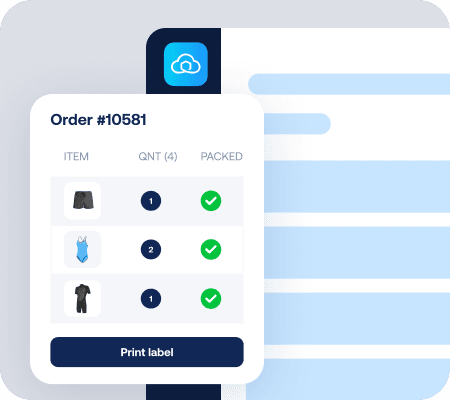
FedEx Cross Border

Ship more efficiently

Print FedEx Cross Border labels in batch with customs documents auto-generated per destination.
FedEx Cross Border

Use your FedEx Cross Border contract

Connect your FedEx credentials in Sendcloud and ship at your negotiated cross-border rates.
FedEx Cross Border

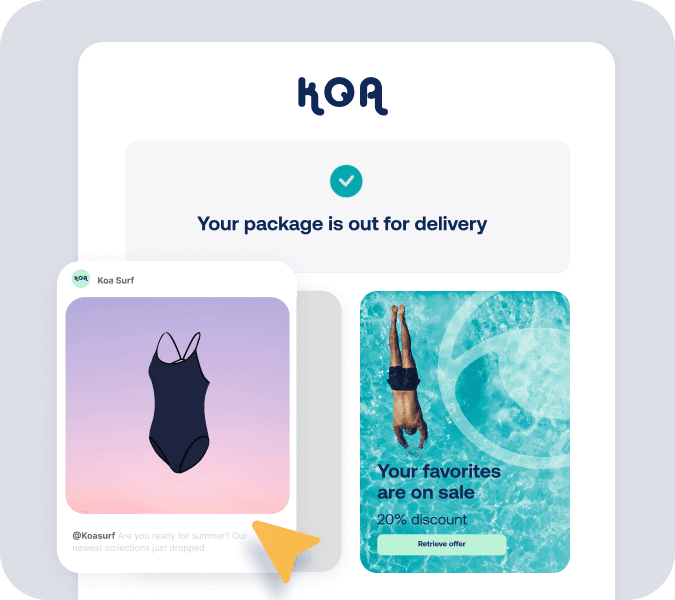
Use every touchpoint

Branded tracking emails follow each parcel through international transit and partner-carrier last-mile.

Access the best couriers, no matter how you ship

Option 1:

Ship with discounted rates

You'll need your own FedEx Cross Border contract; many of our 170+ carriers offer pre-negotiated rates.

Instant access to 9,500+ shipping methods

Switch couriers with one click

Receive courier refunds 8x faster

Option 2:

Ship with your contracts

Upload your FedEx contract and ship cross-border at your negotiated rates.

Your own negotiated rates and methods

Insights into your shipping performance

Use Sendcloud rates as backup

MULTI-CARRIER STRATEGY

Combine FedEx Cross Border with 170+ carriers

FedEx Cross Border handles cross-border parcels with broker-model duties handling. Pair it with domestic carriers for last-mile and economy or express for orders that need different speed.

How do I start shipping with FedEx Cross Border through Sendcloud?

FedEx Cross Border is a direct-contract product, so you'll need an active FedEx Cross Border account before connecting. FedEx Cross Border is a separate contract from regular FedEx.

In your Sendcloud panel, go to Shipping > Carriers, find FedEx Cross Border, and click Enable. Then in My contracts, add your API key. The integration supports two pickup hubs: EU Hub for shipments from the Netherlands, and UK Hub for shipments from the United Kingdom. For step-by-step instructions, see Sendcloud's Help Center article on FedEx Cross Border activation.

Once connected, labels show 0.00 EUR in Sendcloud since you pay FedEx directly on your contract.

What does Sendcloud add to my FedEx Cross Border shipping?

Sendcloud sits between your store and FedEx Cross Border so you don't manage two systems. We pull your orders, generate customs documents per destination from your order data (HS codes, weights, duties, taxes), apply shipping rules per order, and route tracking events back into branded customer emails.

You connect your FedEx Cross Border contract once. From there, labels print at 0.00 EUR in Sendcloud and you pay FedEx directly on your contract terms.

Can I use my own FedEx Cross Border contract instead of Sendcloud's rates?

FedEx Cross Border runs on a direct contract model. You'll need an active FedEx Cross Border account to ship through Sendcloud. Once your contract is connected, you ship at your negotiated rates and Sendcloud handles labels, customs, and tracking write-back. This is a separate contract from regular FedEx; the two carriers bill independently.

Sendcloud's Lite, Growth, and Premium plans support own-contract carriers. See Sendcloud plans and pricing.

How much does shipping with FedEx Cross Border cost?

FedEx Cross Border pricing is set by your direct contract with FedEx Cross Border. Sendcloud charges its plan fee for the platform (label printing, automation, tracking, returns), and FedEx Cross Border bills you for actual shipments at your negotiated rates.

See live FedEx Cross Border shipping rates in your Sendcloud account. Sendcloud's Lite plan is the entry point for own-contract carriers. See Sendcloud plans and pricing.

Where does FedEx Cross Border deliver?

FedEx Cross Border delivers across 200+ international destinations worldwide.

Pickup is from the Netherlands (EU Hub) or the United Kingdom (UK Hub). For non-EU shipments, Sendcloud generates customs documents from your order data automatically, including HS codes, weights, duties, and taxes.

How does tracking work with FedEx Cross Border and Sendcloud?

FedEx Cross Border tracking flows back for international transit, customs clearance, and partner-carrier last-mile events. Sendcloud surfaces these in branded customer emails.

Can I combine FedEx Cross Border with my other carriers?

Yes. Sendcloud connects 170+ carriers under one platform. Switch carriers per order through shipping rules, manage all of them from one dashboard, and pull tracking from every carrier into the same view.

If a FedEx Cross Border service hits delays, configure fallback rules to route to another carrier so customers still receive parcels on time.

How do I start shipping with FedEx Cross Border through Sendcloud?

FedEx Cross Border is a direct-contract product, so you'll need an active FedEx Cross Border account before connecting. FedEx Cross Border is a separate contract from regular FedEx.

In your Sendcloud panel, go to Shipping > Carriers, find FedEx Cross Border, and click Enable. Then in My contracts, add your API key. The integration supports two pickup hubs: EU Hub for shipments from the Netherlands, and UK Hub for shipments from the United Kingdom. For step-by-step instructions, see Sendcloud's Help Center article on FedEx Cross Border activation.

Once connected, labels show 0.00 EUR in Sendcloud since you pay FedEx directly on your contract.

What does Sendcloud add to my FedEx Cross Border shipping?

Sendcloud sits between your store and FedEx Cross Border so you don't manage two systems. We pull your orders, generate customs documents per destination from your order data (HS codes, weights, duties, taxes), apply shipping rules per order, and route tracking events back into branded customer emails.

You connect your FedEx Cross Border contract once. From there, labels print at 0.00 EUR in Sendcloud and you pay FedEx directly on your contract terms.

Can I use my own FedEx Cross Border contract instead of Sendcloud's rates?

FedEx Cross Border runs on a direct contract model. You'll need an active FedEx Cross Border account to ship through Sendcloud. Once your contract is connected, you ship at your negotiated rates and Sendcloud handles labels, customs, and tracking write-back. This is a separate contract from regular FedEx; the two carriers bill independently.

Sendcloud's Lite, Growth, and Premium plans support own-contract carriers. See Sendcloud plans and pricing.

How much does shipping with FedEx Cross Border cost?

FedEx Cross Border pricing is set by your direct contract with FedEx Cross Border. Sendcloud charges its plan fee for the platform (label printing, automation, tracking, returns), and FedEx Cross Border bills you for actual shipments at your negotiated rates.

See live FedEx Cross Border shipping rates in your Sendcloud account. Sendcloud's Lite plan is the entry point for own-contract carriers. See Sendcloud plans and pricing.

Where does FedEx Cross Border deliver?

FedEx Cross Border delivers across 200+ international destinations worldwide.

Pickup is from the Netherlands (EU Hub) or the United Kingdom (UK Hub). For non-EU shipments, Sendcloud generates customs documents from your order data automatically, including HS codes, weights, duties, and taxes.

How does tracking work with FedEx Cross Border and Sendcloud?

FedEx Cross Border tracking flows back for international transit, customs clearance, and partner-carrier last-mile events. Sendcloud surfaces these in branded customer emails.

Can I combine FedEx Cross Border with my other carriers?

Yes. Sendcloud connects 170+ carriers under one platform. Switch carriers per order through shipping rules, manage all of them from one dashboard, and pull tracking from every carrier into the same view.

If a FedEx Cross Border service hits delays, configure fallback rules to route to another carrier so customers still receive parcels on time.

How do I start shipping with FedEx Cross Border through Sendcloud?

FedEx Cross Border is a direct-contract product, so you'll need an active FedEx Cross Border account before connecting. FedEx Cross Border is a separate contract from regular FedEx.

In your Sendcloud panel, go to Shipping > Carriers, find FedEx Cross Border, and click Enable. Then in My contracts, add your API key. The integration supports two pickup hubs: EU Hub for shipments from the Netherlands, and UK Hub for shipments from the United Kingdom. For step-by-step instructions, see Sendcloud's Help Center article on FedEx Cross Border activation.

Once connected, labels show 0.00 EUR in Sendcloud since you pay FedEx directly on your contract.

What does Sendcloud add to my FedEx Cross Border shipping?

Sendcloud sits between your store and FedEx Cross Border so you don't manage two systems. We pull your orders, generate customs documents per destination from your order data (HS codes, weights, duties, taxes), apply shipping rules per order, and route tracking events back into branded customer emails.

You connect your FedEx Cross Border contract once. From there, labels print at 0.00 EUR in Sendcloud and you pay FedEx directly on your contract terms.

Can I use my own FedEx Cross Border contract instead of Sendcloud's rates?

FedEx Cross Border runs on a direct contract model. You'll need an active FedEx Cross Border account to ship through Sendcloud. Once your contract is connected, you ship at your negotiated rates and Sendcloud handles labels, customs, and tracking write-back. This is a separate contract from regular FedEx; the two carriers bill independently.

Sendcloud's Lite, Growth, and Premium plans support own-contract carriers. See Sendcloud plans and pricing.

How much does shipping with FedEx Cross Border cost?

FedEx Cross Border pricing is set by your direct contract with FedEx Cross Border. Sendcloud charges its plan fee for the platform (label printing, automation, tracking, returns), and FedEx Cross Border bills you for actual shipments at your negotiated rates.

See live FedEx Cross Border shipping rates in your Sendcloud account. Sendcloud's Lite plan is the entry point for own-contract carriers. See Sendcloud plans and pricing.

Where does FedEx Cross Border deliver?

FedEx Cross Border delivers across 200+ international destinations worldwide.

Pickup is from the Netherlands (EU Hub) or the United Kingdom (UK Hub). For non-EU shipments, Sendcloud generates customs documents from your order data automatically, including HS codes, weights, duties, and taxes.

How does tracking work with FedEx Cross Border and Sendcloud?

FedEx Cross Border tracking flows back for international transit, customs clearance, and partner-carrier last-mile events. Sendcloud surfaces these in branded customer emails.

Can I combine FedEx Cross Border with my other carriers?

Yes. Sendcloud connects 170+ carriers under one platform. Switch carriers per order through shipping rules, manage all of them from one dashboard, and pull tracking from every carrier into the same view.

If a FedEx Cross Border service hits delays, configure fallback rules to route to another carrier so customers still receive parcels on time.

Start shipping your orders in minutes

Automate your shipping from checkout to returns and exceed customer expectations with a 5-star delivery experience.

Start shipping your orders in minutes

Automate your shipping from checkout to returns and exceed customer expectations with a 5-star delivery experience.

Start shipping your orders in minutes

Automate your shipping from checkout to returns and exceed customer expectations with a 5-star delivery experience.